 15 Nov 2026

Bluehost AI Builder Review: One Sentence, One Live Site, and How Far the Free Plan Takes You
Stop trusting demo videos. Learn what Bluehost AI Builder actually ships on the Free plan ($0 to start, no credit card), how fast the credits burn, and how far you can push it. Ship a live site or web app, then decide if it deserves your money.

Paid partnership with Bluehost. I earn a commission if you buy through the links in this post. Every link to Bluehost AI Builder below is my affiliate link, and I tell you when you're looking at one. Everything in the hands-on sections comes from a real build I ran myself.
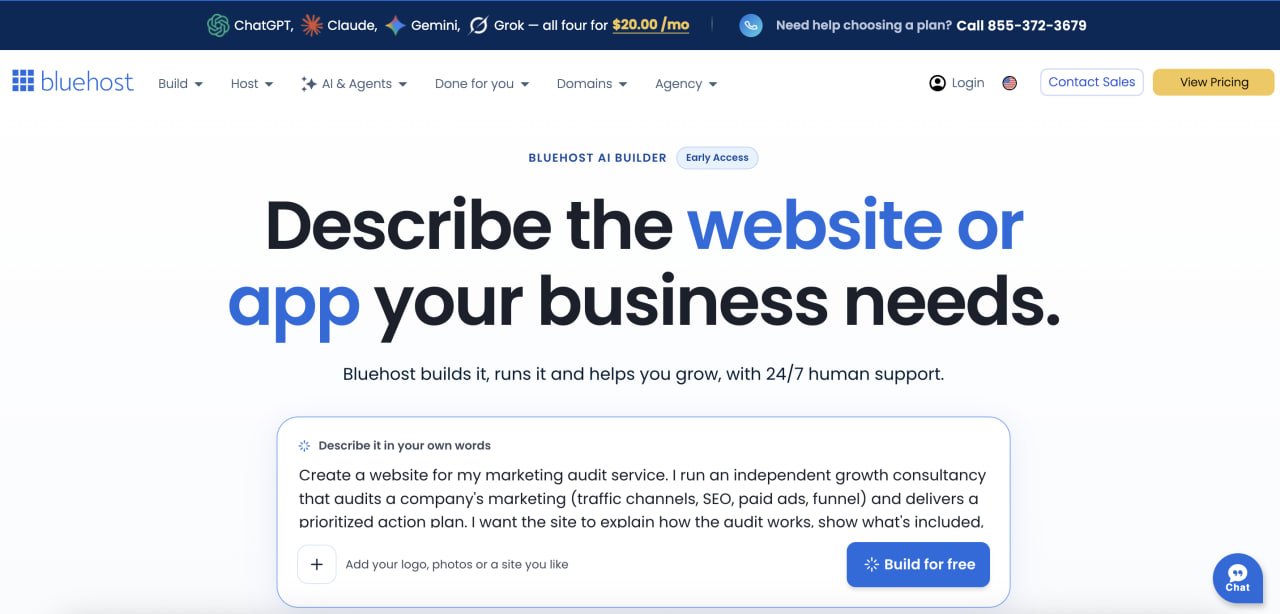
The whole brief in one message: a marketing audit service with a request form and a dashboard.
⚡ Key Takeaways
It builds two things in one conversation. Bluehost AI Builder produces websites and working web apps: booking, quote requests, customer portals, directories, internal tools. In my test, one prompt gave me a five-page site with a request form and an admin dashboard.
The Free plan is a real test drive. It's $0 to start, no credit card, with 5 credits a day and up to 30 a month. That was enough for me to build, refine and publish a full site in one sitting.
One message equals one credit, whatever it asks. My first build and my hardest rebuild each cost one credit, so batching your changes pays off.
Credits pay for building, not for staying online. Even at zero credits the builder told me the published app stays up.
Know the setup steps. Email alerts connect through the settings, and the builder asks you to click Update to push edits live. It builds web apps only, not native iOS or Android apps.
Start free with Bluehost AI Builder (affiliate link, I earn a commission)
Look, every AI builder demo is a magic trick. Someone types one sentence, a gorgeous site appears in 40 seconds, the audience claps. Nobody shows you message number 14, when you ask for a change and the layout quietly falls apart. Nobody shows you what happens when the credit counter hits zero on a Tuesday afternoon with a client waiting.
So I did what I do with any tool that lands on my desk: I stopped admiring it and started trying to break it. This is the Upart way. A review that ends with "it has a clean UI" is creative writing. A review that ends with a verdict you can act on is research.
Here's the setup. Bluehost AI Builder is a conversational builder. You describe the site or app you need, it can ask clarifying questions, builds a first version you can watch appear in a live preview, and you refine it by chatting. When you're done, you publish it on Bluehost hosting. Free plans publish on a Bluehost subdomain, and paid plans let you connect your own domain. Bluehost positions it as a product for small businesses, and a 24/7 human support team sits behind it on every plan, Free included.
That's the pitch. Now let's see what survives contact with a real build.
What Bluehost AI Builder Actually Is (and What It Isn't)
Strip away the marketing and you have three layers in a single product:
A generator. Plain-language prompt in, website or web app out. You can feed it your logo, photos, documents, or a link to a site you like as a design reference. It reads layout, colour and tone from that link, and it does not copy text or images.
A back office. Every web app comes with saved form submissions, user accounts with roles, and an admin panel. Email alerts fire when something new comes in, and bookings can connect to Google Calendar.
A host. What you publish runs on Bluehost hosting. No separate hosting purchase, no FTP, no stitching three vendors together.
What it isn't: a WordPress builder (Bluehost has a separate WordPress AI Builder for that), and not a native mobile app factory. If your brief says "iOS app", close this tab. If your brief says "a booking page my clients can open from a link", keep reading.
One more honest note. At the time of writing, the product page still carries an Early Access label. Treat features, limits and prices as a moving target and check the live page before you buy.
📐 The Ship–Capture–Survive Test: How I Stress-Test an AI Builder
Most reviews test the wrong thing. They test how pretty the first draft looks. The first draft is the cheapest thing any AI builder does. I run every builder through three checks that map to what a small business actually needs:
Ship. Can I go from one sentence to a live URL without touching code, and how many credits does it take?
Capture. Does the thing actually collect something (a lead, a booking, a quote request) and put it somewhere a human can act on it? A site that can't capture is a brochure.
Survive. What happens when I hit the credit ceiling, when I ask for a nasty change, and when I need a human? A tool that works only while the credits last is a rental.
Pass all three and you have infrastructure. Fail one and you have a toy.
🔬 The Hands-On Build: A Marketing Audit Service
I built a marketing audit service on the Free plan: a site that explains the offer and takes audit requests through a form, with a dashboard behind it. This is the exact prompt I typed. Okay, four sentences packed into one prompt — still one shot:
“Create a website for my marketing audit service. I run an independent growth consultancy that audits a company's marketing (traffic channels, SEO, paid ads, funnel) and delivers a prioritized action plan. I want the site to explain how the audit works, show what's included, and let visitors request an audit by filling in a form with their website URL, monthly traffic range, main marketing channel and email. Every request should be saved so I can review and manage it.”
Step 1: Describe it
I signed up with my Google account and was never asked for a credit card. The builder showed “Reading your prompt…” and started building. It asked me no clarifying questions. Bluehost says guided questions exist, so maybe a detailed prompt skips them. I can't confirm either way.
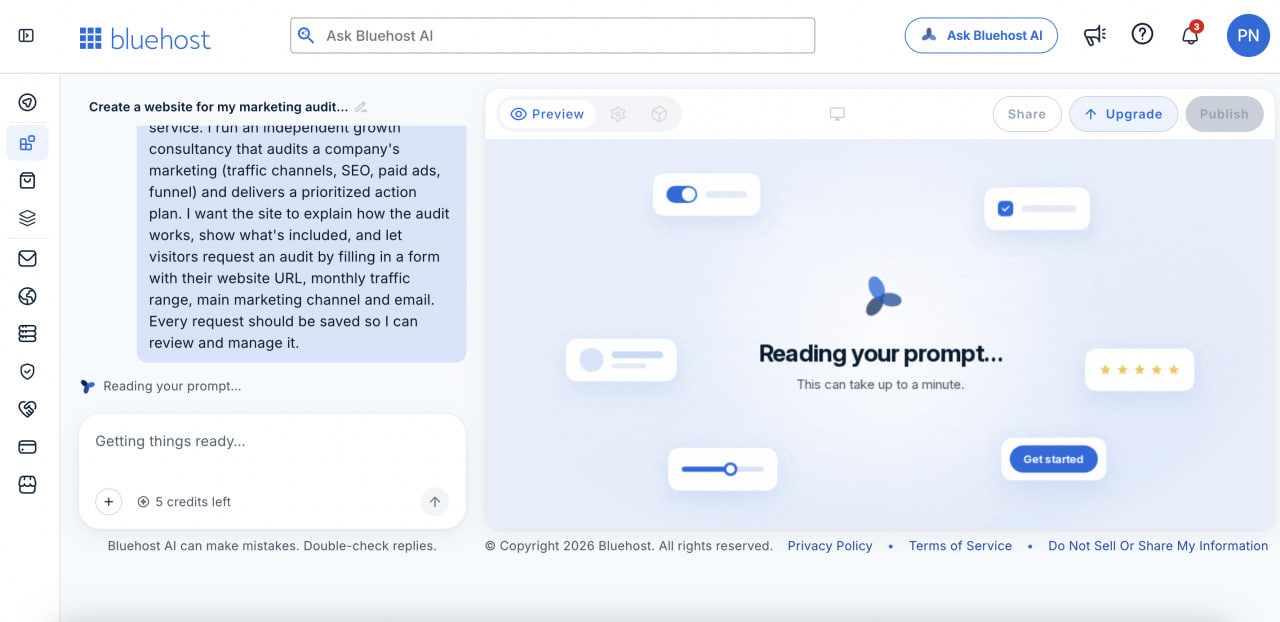
Prompt sent. The builder starts work, and the counter shows 5 daily credits on the Free plan.
Step 2: Watch it build, then refine by chat
The first version was ready in about 2-3 minutes and cost 1 credit (5 left became 4). It was a five-page site: home, How it works, What's included, an FAQ and a request form with fields for website, monthly traffic, main channel, email, name and notes. The phone number, email and business name were placeholders, and the builder said so.
Then I pushed it with three refinements:
Simple edit (about a minute, 4 → 3 credits): “Make the homepage headline more direct and use a dark blue accent color.” The headline became “Find where your marketing is losing money,” and the accent turned dark blue across the site and the dashboard.
Batch edit (3 → 2 credits): a “How the audit works” section, a four-question FAQ and testimonials in one message. All three arrived, with the testimonials marked as samples.
Stress test (2 → 1 credit): rebuild the services as a three-tier pricing comparison, keep the form working, make the whole site mobile-first. The builder returned Starter, Growth and Scale tiers at $750, $1,800 and $3,500 and told me the prices were made-up samples. The preview rendered cleanly.
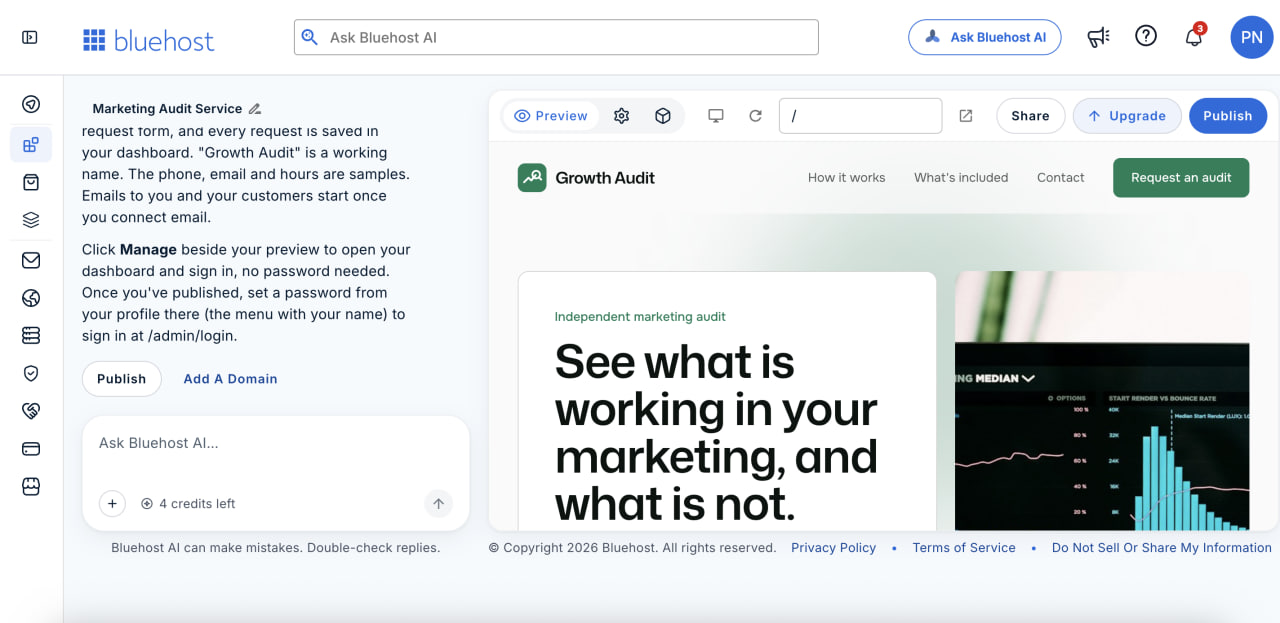
The first build, a five-page site in 2-3 minutes for 1 credit (4 left).
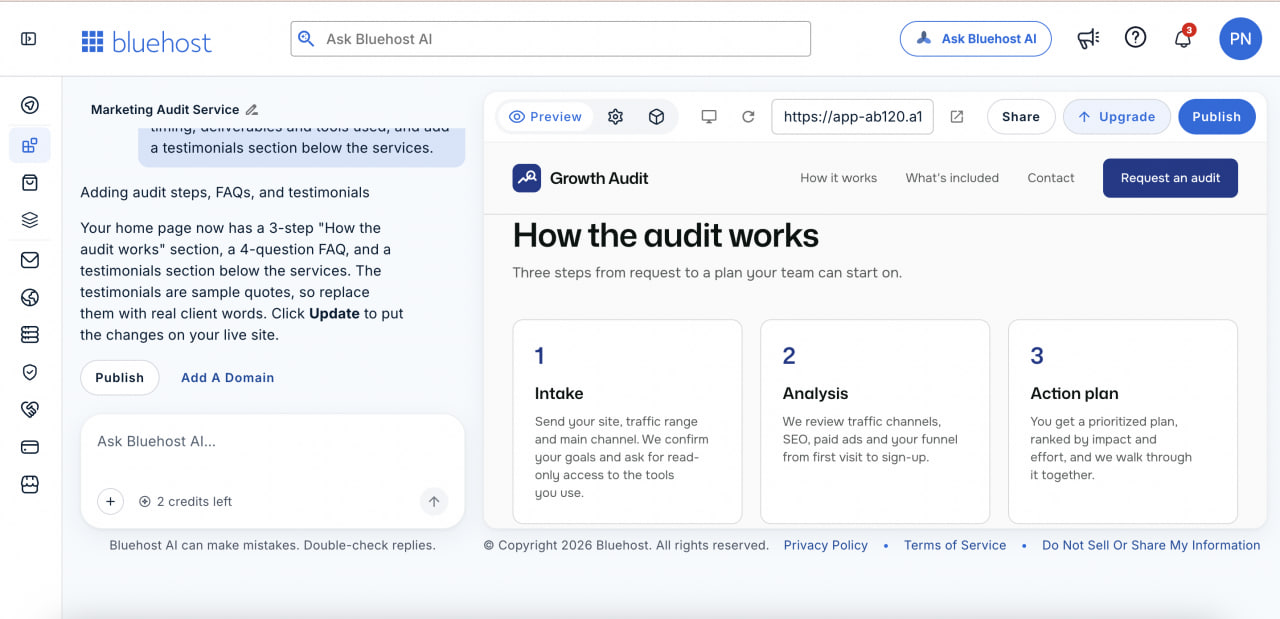
Three sections (How it works, FAQ, testimonials) in one message. The testimonials are marked as samples (2 credits left)
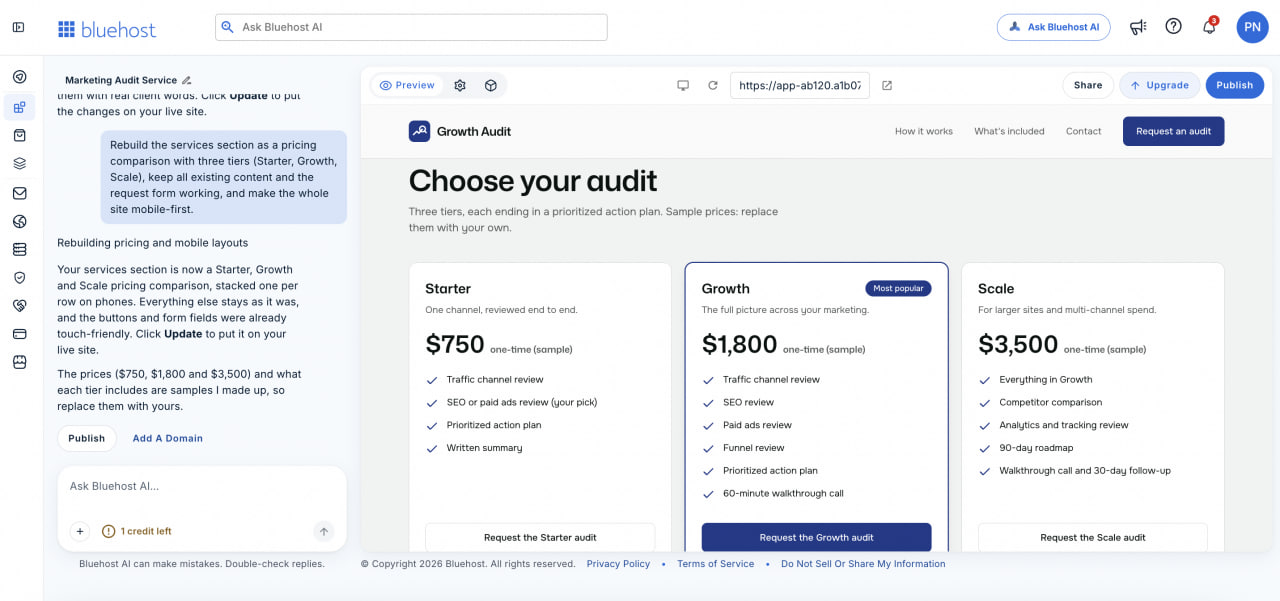
Pricing tiers added in one message. The prices are sample data from the builder (1 credit left).
Step 3: Capture, the admin dashboard
The first build message told me how to get in: click Manage beside the preview and you're signed in with no password. After publishing, set a password from your profile menu and sign in at /admin/login. The dashboard has Dashboard, Audit Requests, Users, Messages, Business details and Secrets. It came pre-filled with sample requests and messages on example domains. That's the builder's demo data, not mine.
With my last credit I asked for an admin panel with New, In progress and Done statuses and an email alert. The AI answered that the requests were already in the dashboard, adjusted the statuses, and said email alerts go out once you connect email in the settings. So the panel comes built in from the first version, and the AI tuned the statuses on request.
Then the real test. I submitted a request through the form on my live site as a visitor (10,000 to 50,000 visits, Social media) and found it in Audit Requests with every field intact and status New. One detail worth knowing: moving a request to In progress or Done emails the customer.
I didn't set up email alerts. They need email connected in the settings, and I skipped that, so I can't tell you how fast they arrive.
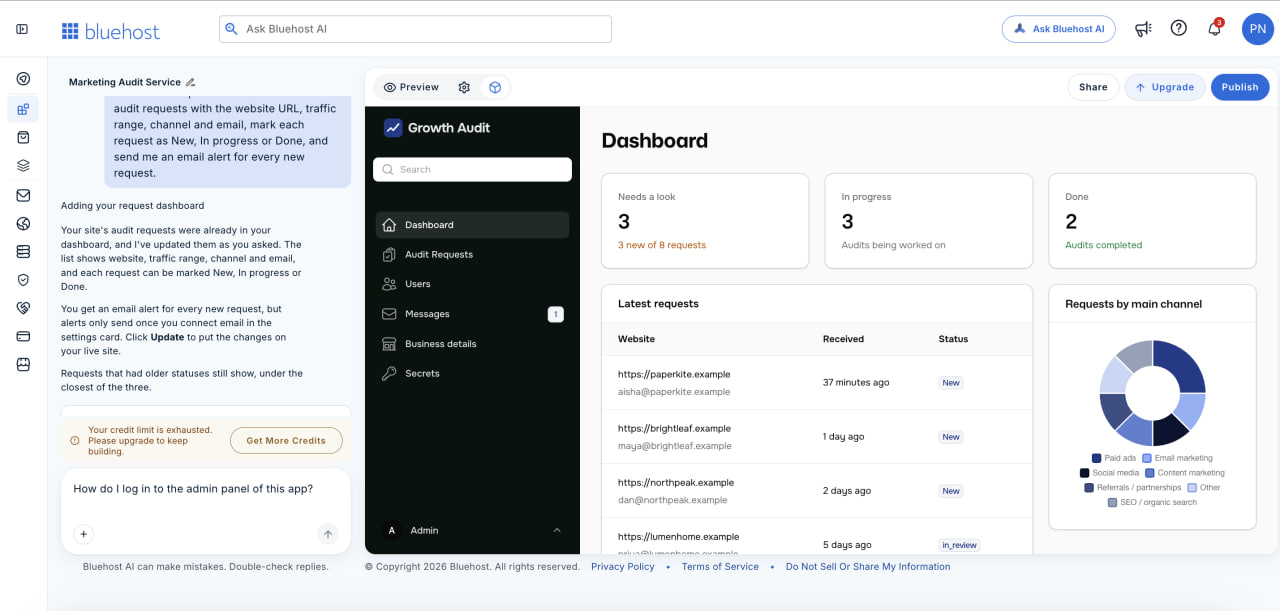
The admin dashboard. The names and numbers are sample data generated by the builder.
Step 4: Publish and survive
Publishing opened a popup with a free address (app-ab120.a1b07.app.bluehost.ai) and took a moment. Paid plans let you connect your own domain. After editing, the builder asks you to click Update to push changes to the live site, and when I checked, my live URL was still showing the first version, so confirm your latest changes after you publish.
Then the daily limit. After the fifth message the builder said “You've used up your credits,” showed 5 of 5 daily credits used, and added that the published app stays up while only new building pauses. The live site kept loading. The chat box just reads “Building paused until you have credits.”
I didn't test Bluehost's human support, so I'm not vouching for that claim.
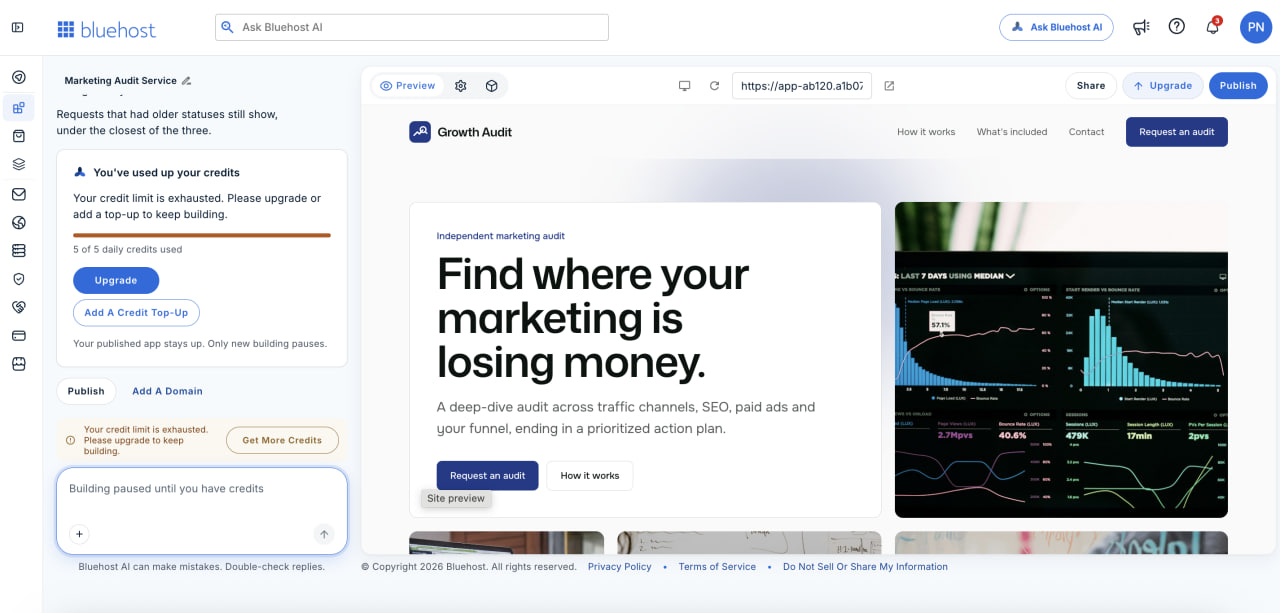
Credits used up (5 of 5 for the day). New building pauses, the published app stays online.
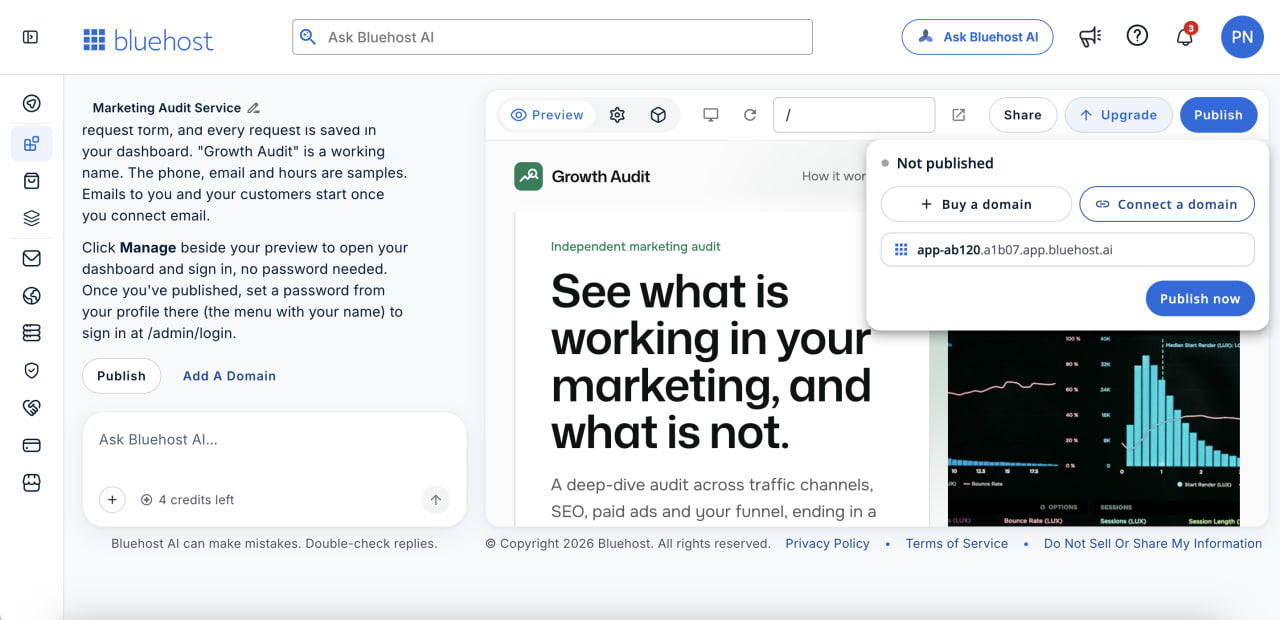
The publish popup with the free app.bluehost.ai address.
The Credit Economics: Where This Gets Real
Every AI builder lives or dies on its credit model, so let's put the math on the table. These are the plan details from Bluehost's own AI Builder page as of November 2026:
| Plan | Price | Credits | Best for |
Plan | Price | Credits | Best for |
|---|---|---|---|
Free | $0, no credit card | 5 a day, up to 30 a month | Trying it out and going live fast |
Lite | $20/mo, billed monthly | 100 a month, no daily limit | A first site or app on your own domain |
Standard | $40/mo, billed monthly | 200 a month | Businesses building and updating often |
What the table doesn't scream at you:
One message equals one credit. Be specific and batch your changes. "Make it better" is a credit set on fire. "Change the hero headline, add a testimonials section under services, and use the blue from my logo" is one credit doing three jobs.
Credits expire after 30 days. Monthly plan credits and top-ups both. Don't hoard.
Running out pauses new changes, not your site. That's a genuine structural advantage: hosting is decoupled from the meter.
Free caps you at 5 credits a day. Ambitious builds need multiple days or an upgrade.
Custom domains and removing the Bluehost badge start on paid plans. The Free plan is a test drive, not a brand.
My burn log, message by message:
Step | What I sent | Credits left |
|---|---|---|
Start | Nothing yet | 5 |
First build | The full prompt | 4 |
Simple edit | Headline and accent color | 3 |
Batch edit | Three sections in one message | 2 |
Stress test | Pricing tiers and mobile-first | 1 |
Admin request | Admin panel and alerts (already existed) | 0 |
Five messages is a full day's allowance on Free: enough for a first build and a few refinements. If you update weekly, Lite's 100 credits a month is plenty. If you iterate daily, Standard is the better fit.
Vendor Claims vs. What I Verified
Bluehost's page includes its own comparison against Lovable, Bolt and Hostinger. It's a vendor-authored table, so read it like one. It's a useful map of what Bluehost wants you to notice: free plan with no card, free guided questions, hosting that never uses credits, and 24/7 human support on every plan including Free. Here's how I treat each claim:
Claim | Source | My result |
|---|---|---|
Free plan, no credit card | Bluehost | Confirmed: I signed up with a Google account and was never asked for a card |
One message equals one credit | Bluehost | Confirmed on all five messages, including the first build and the stress test |
Hosting never uses credits | Bluehost | Confirmed: at zero credits the builder said the app stays up, and the live URL kept loading |
Admin panel and roles in every app | Bluehost | Confirmed: a request I sent through my live form landed in the dashboard |
24/7 human support on Free | Bluehost | Not tested |
I don't repeat competitor claims I haven't tested. If you want a head-to-head, that's a separate article and a separate test.
The SEO Reality Check
Bluehost says the builder writes real content for each page and generates page titles, descriptions, headings and image alt text automatically, with mobile-responsive layouts out of the box. Good. That's the technical baseline.
But let's be adults about it: no builder can guarantee rankings. Bluehost says so itself. I didn't audit SEO or mobile layout in this test, so those stay vendor claims. One thing I did see: the page source of my published site has a title tag (“Independent marketing audits”) and no meta description tag, and the page content loads through JavaScript. Check your own site's source before you count on it for search traffic.
Who Should Use It, and Who Should Walk Away
Use it if:
You're a freelancer, consultant, studio or local business that needs a site and a way to capture leads or bookings without hiring a developer.
You want to validate an idea this week with a live URL and zero card on file.
You value a human on call more than a framework to tinker with.
Walk away if:
You need a native iOS or Android app. This builds web apps only.
You want the WordPress ecosystem. Use Bluehost's separate WordPress AI Builder instead.
You plan to rework the design twenty times a day on the Free plan. That volume fits a paid plan better than the 5-credit daily Free allowance.
You need enterprise-grade custom logic. Treat this as a launch pad, not a platform.
The Verdict
Bluehost AI Builder delivered on the Free plan. One prompt produced a five-page site with a working request form and an admin dashboard in about 2-3 minutes, each follow-up change took about a minute, and the published app stays online even when the building credits run out. For a lead-capture site or a small booking or quote app, the Free plan ($0 to start, no credit card) is a zero-risk way to start. When you want your own domain and more monthly credits, paid plans from $20/mo. The page still carries an Early Access label, so check it for current limits.
Take Action: Build Yours Before You Believe Anything I Wrote
The Free plan costs $0 to start, no credit card. Build something real, then judge for yourself. Paid plans start from $20/mo when you need your own domain and more credits.
👉 Try Bluehost AI Builder free (affiliate link, I earn a commission)
Paid partnership with Bluehost.
Frequently Asked Questions
Recommended for you


 Jun 18, 2026
What Kind of Beast is Similarweb? The No-Bullshit Digital Intelligence Guide
Stop scaling in the dark. Learn how to weaponize Similarweb for analysis of competitors, bypass the 2026 data privacy blackout with predictive AI modeling, and translate raw market intelligence into a multi-channel growth engine that chokes out your rivals.
 May 1, 2026
Growth Marketing: The Great Semantic Swindle
Most marketers are just decorators rearranging deck chairs on the Titanic. We strip away the buzzwords to reveal Growth Marketing as a brutal, data-driven machine. Stop "guessing" and discover how to engineer systemic growth using full-funnel analytics and surgical AI optimization.
 Apr 28, 2026
SendPulse: The Nerve Center of Your Marketing Infrastructure
Stop juggling tools. Start building an ecosystem. In 2026:, manual marketing is a liability. Discover how SendPulse evolved from an email provider into a comprehensive automation engine. From AI-driven chatbots to seamless CRM integration, we break down why this is the ultimate "growth-stack" for architects who value their time and demand a predictable ROI. Plus, a personal gift inside for our community.
Software mentioned in this article
Post a comment
Comments
Recent News

Bluehost
The best solution according to the Upart.Club editorial team. Get started for free!
Try it nowFeatured Software
Be the first to comment!